
Open AB1 and ABI traces in context
Start from the expected construct so mismatch review has a real reference point.
AB1 VIEWER
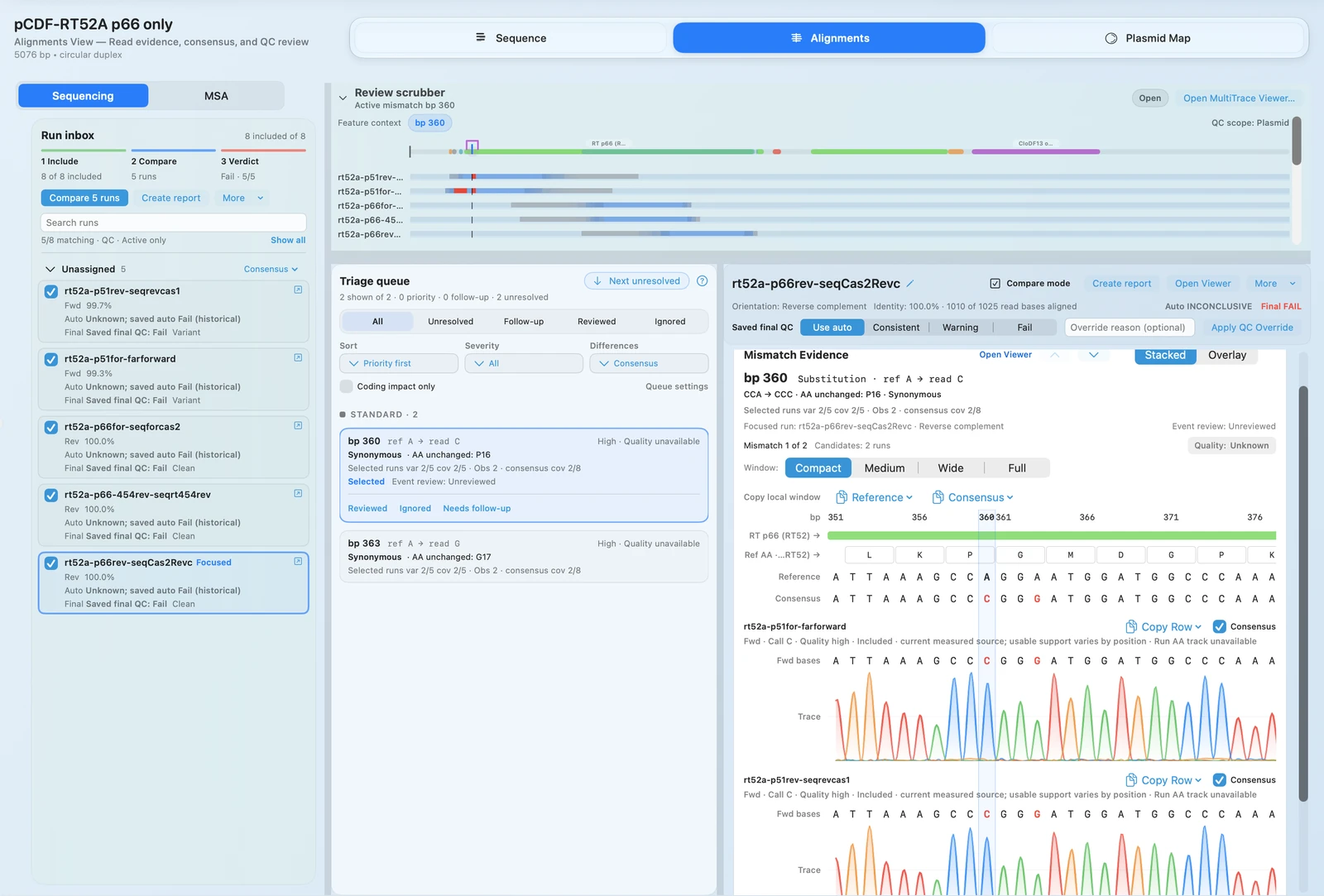
Open Sanger .ab1 and .abi traces, inspect chromatogram evidence,
review FASTQ-backed calls, and keep QC notes attached to the construct instead of a
detached screenshot or email thread.
OUTCOMES
Start from the expected construct so mismatch review has a real reference point.
Inspect the actual trace before deciding whether a change is real or noise.
Review read support and depth without leaving the same validation workflow.
Store notes, pass/fail calls, and follow-up context where teammates can reuse them.
FEATURE WALKTHROUGH
RayCrest acts as Sanger sequence analysis software, not just as a passive viewer, because the trace is attached to the construct you are actually validating.
.ab1 and .abi files.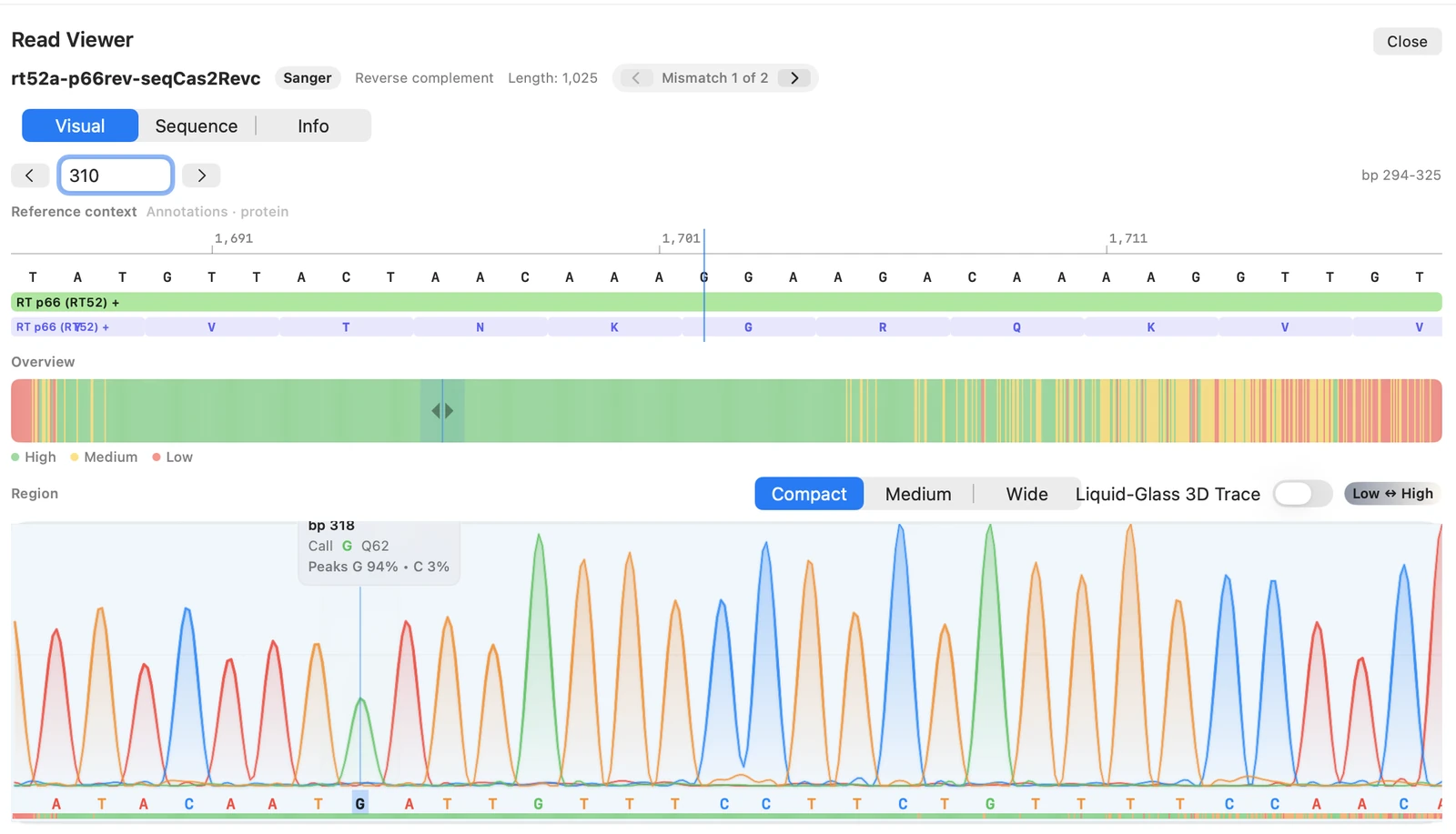
The fastest way to trust a call is to look at the evidence that produced it while the construct context is still on screen.
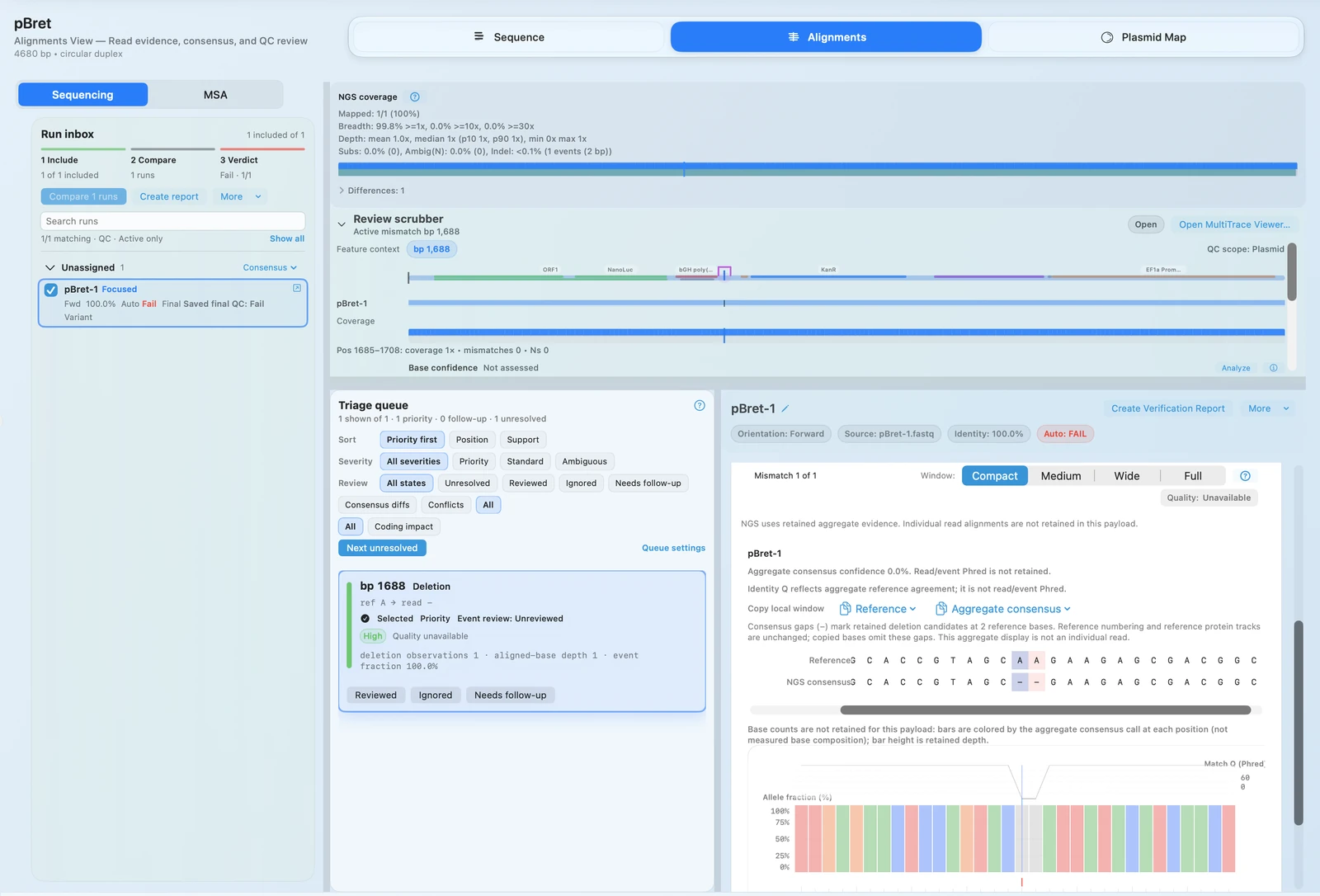
When one trace is not enough, RayCrest lets you inspect FASTQ-supported calls in the same validation workflow.
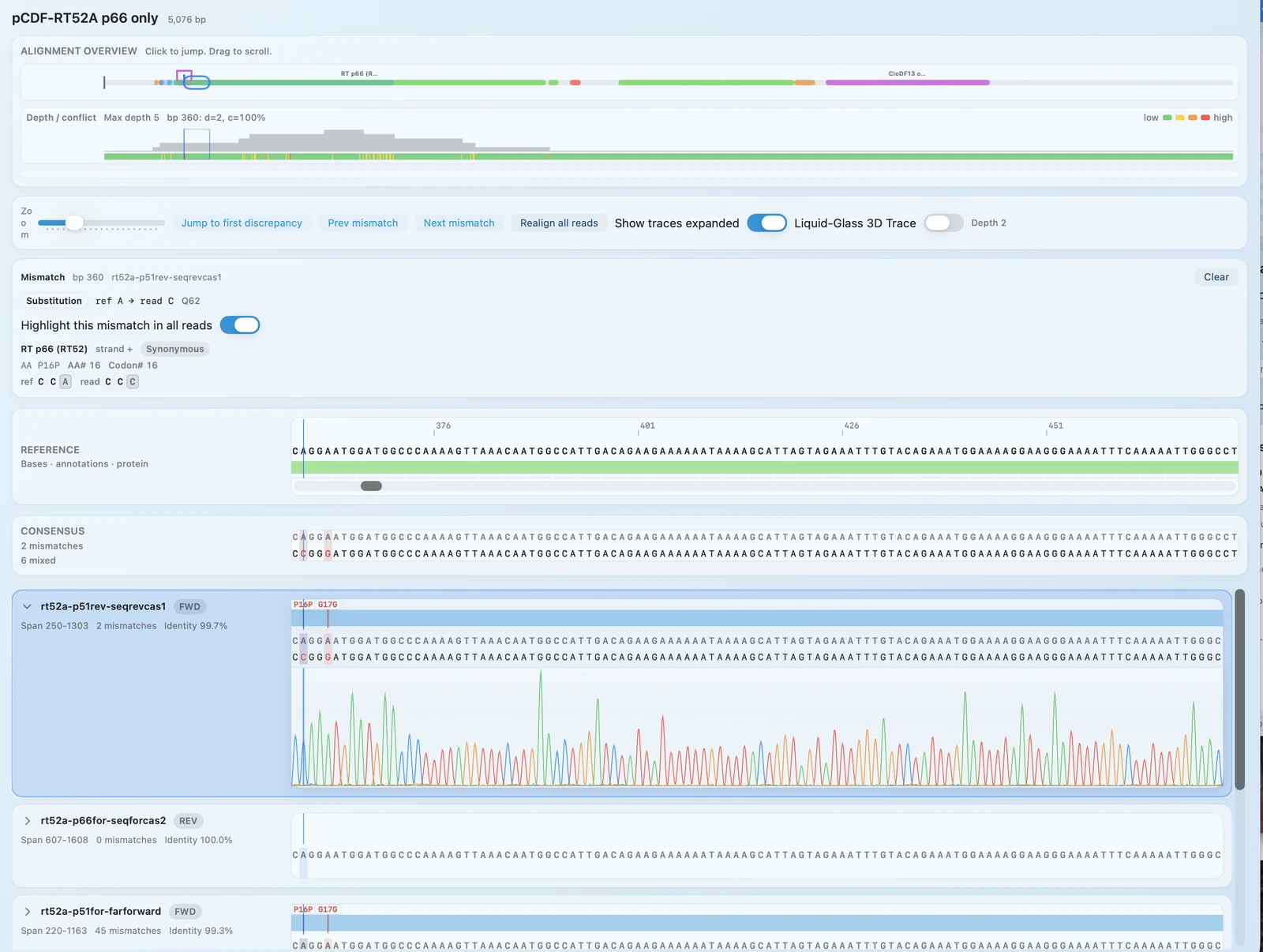
The point of a good validation workflow is not just to inspect evidence once. It is to keep the decision, rationale, and follow-up attached to the construct.
TECHNICAL DETAILS
.ab1 and .abi..fastq, .fq, and .fastq.gz.RayCrest is built to help teams decide, document, and hand off the result, not just inspect a trace image once.
WORKFLOW + OUTPUTS
Add Sanger .ab1/.abi traces or FASTQ runs and attach them to the expected construct.
Jump through mismatch calls with chromatogram or FASTQ evidence at the base under review.
Record pass, fail, or flagged outcomes with notes so the evidence trail is preserved.
RELATED PAGES
Alignments + QC
Go back to the broader capability page for AB1, FASTQ, and AlignCove in one workflow.
MSA
Use AlignCove when the next question is sequence comparison across a protein family.
Access
Tell us if Sanger review, chromatogram evidence, or FASTQ-backed QC is the workflow you need to test first.
Plasmid Editing
Move from validation into construct editing, primer redesign, and the next cloning pass.
Download for Mac if you need chromatogram-backed decisions, FASTQ support, and construct-linked QC history in one Mac app.
Download RayCrest MDS for Mac. RayCrest Pro is $9.99/month.