Plasmid editor and primer design workspace for Mac
Edit constructs in sequence and map context, design primers, plan in silico PCR checks,
and stage digest or cloning simulation — all without leaving the construct you're
actually working on.
OUTCOMES
What teams get from one plasmid editor and plasmid map maker
Edit with sequence and map context
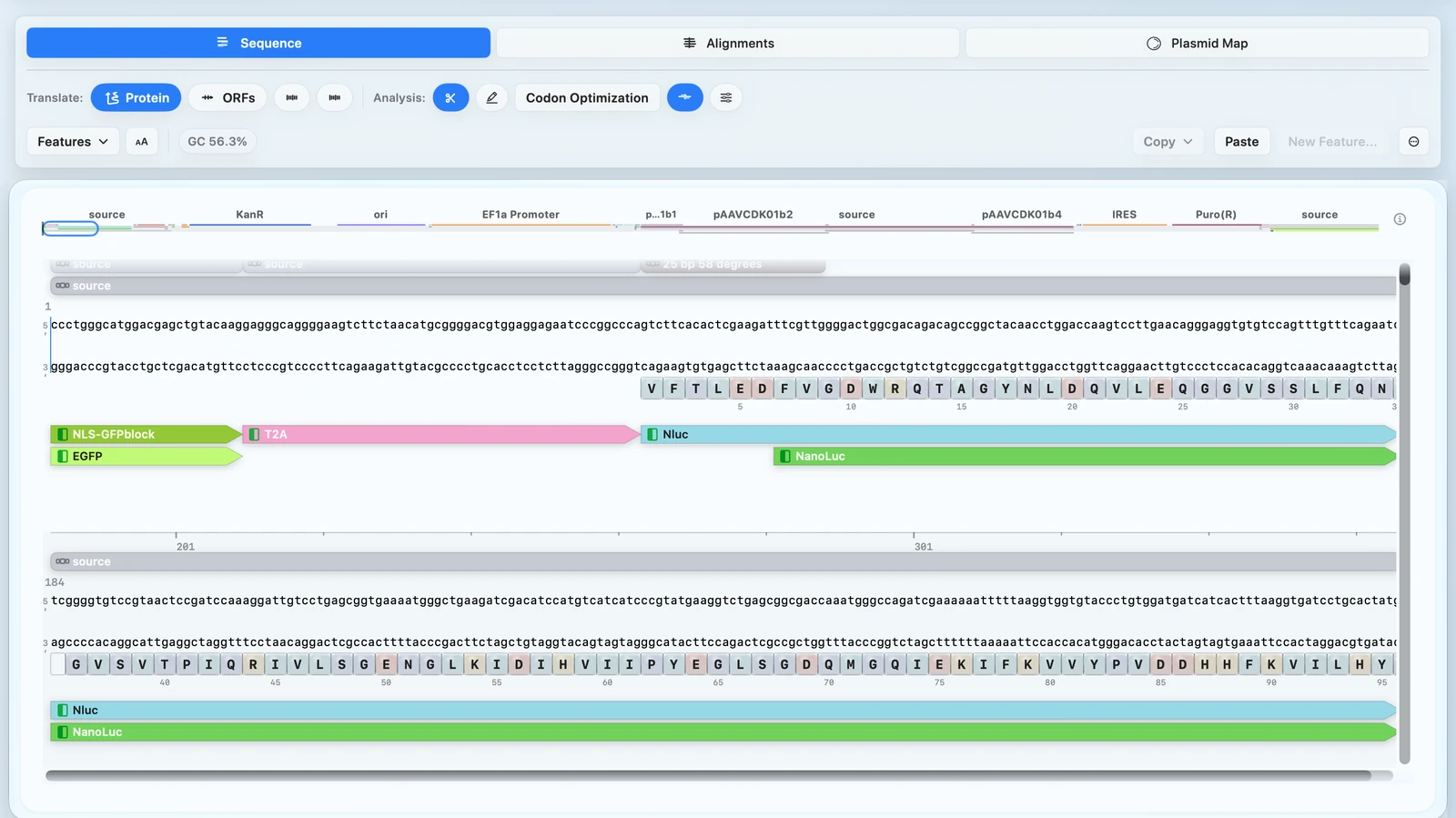
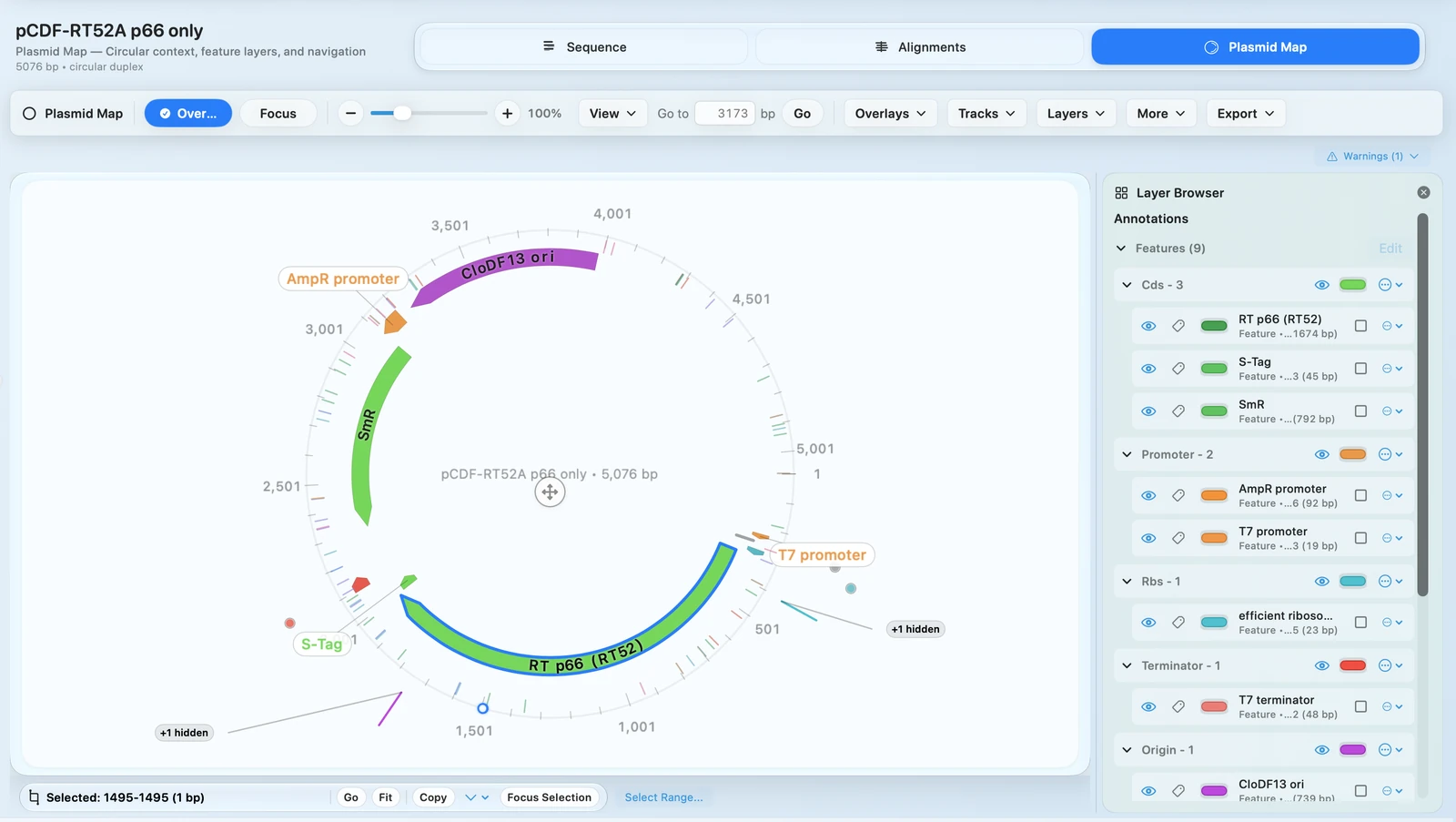
Move between sequence-level editing and publication-ready plasmid map output without rebuilding the construct in separate plasmid map software.
Design primers and plan in silico PCR in place
Primer workflows stay attached to the exact region, construct, and annotation context under review.
Know your digest will work before you cut
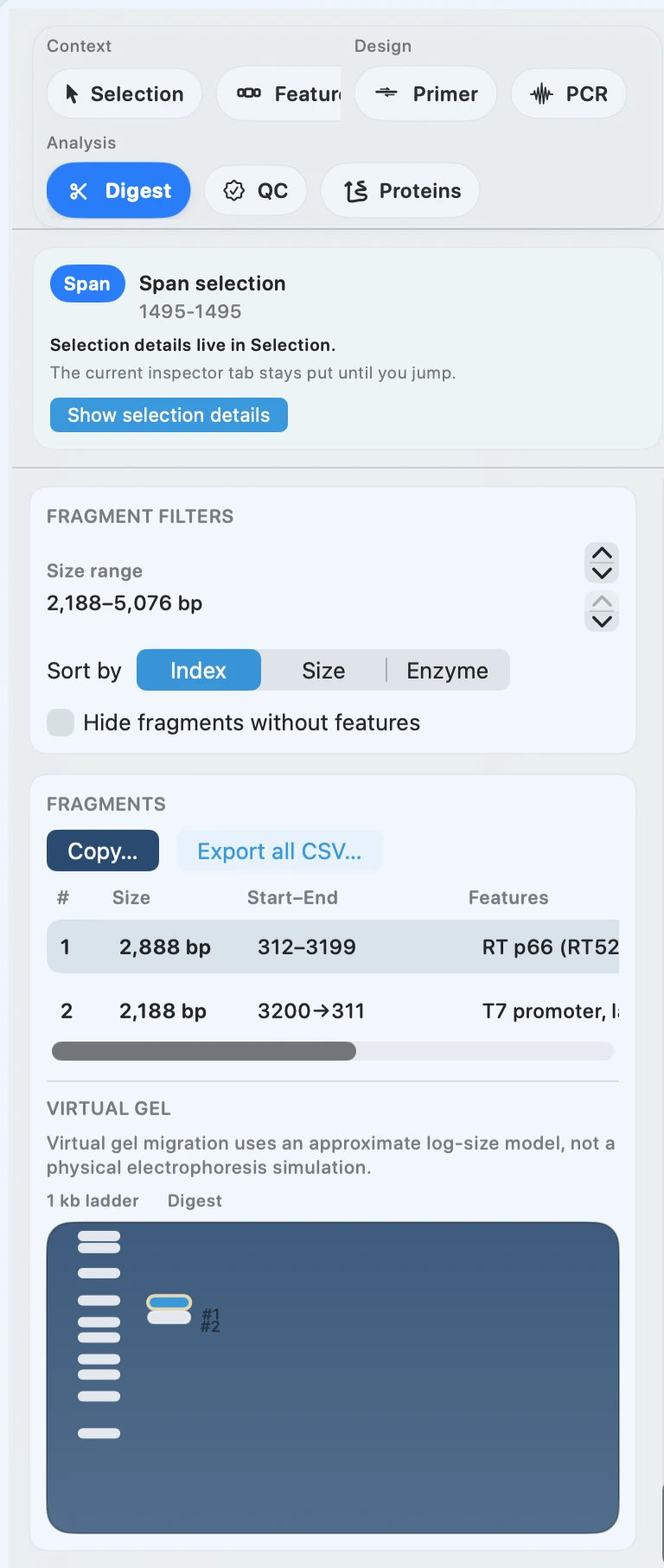
Preview fragments and virtual gel expectations before you set up the reaction.
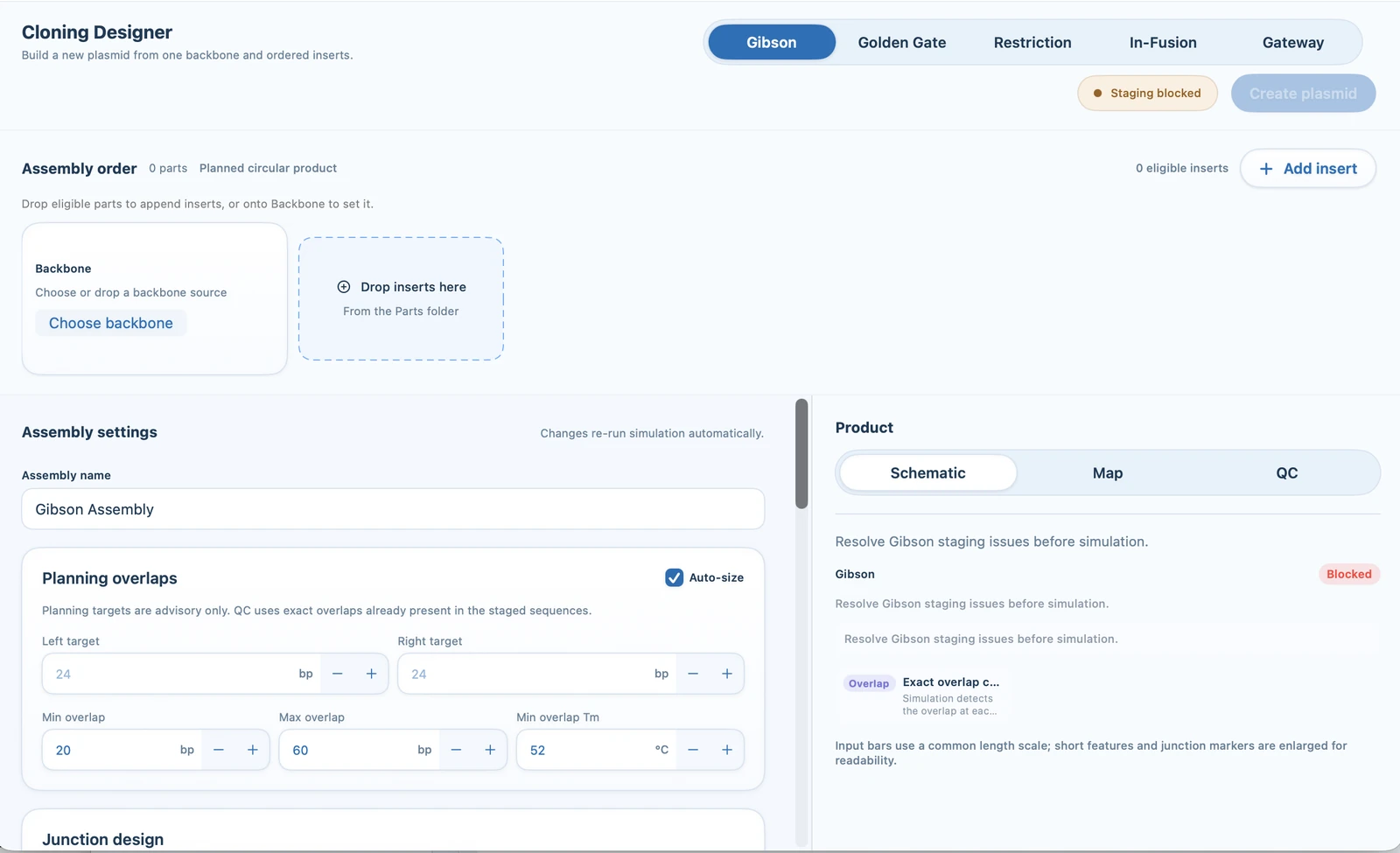
Simulate your assembly before ordering anything
Stage Gibson or restriction workflows while mistakes are still cheap to catch.
FEATURE WALKTHROUGH
How RayCrest handles plasmid editing and primer workflows
Sequence and map views stay tied to the same construct
Use RayCrest as a plasmid editor and plasmid map maker without losing the underlying sequence context that makes the construct interpretable.
Switch between sequence review and map communication without rebuilding annotations.
Feature labels, ORFs, restriction sites, proteins, and primers stay linked to the construct.
Edits remain grounded in the same construct history used for downstream validation and export.
Primer Wizard plus in silico PCR planning
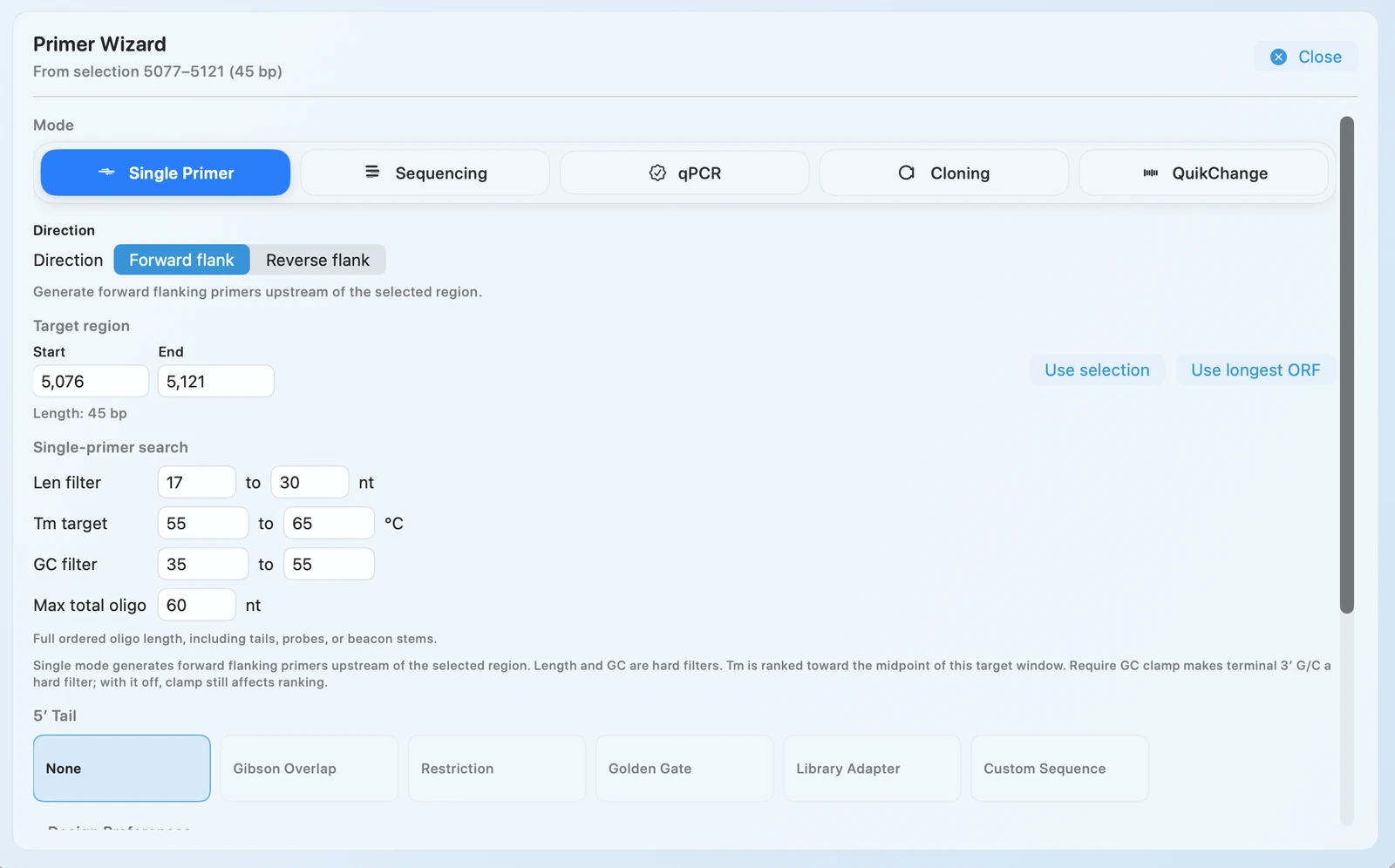
Highlight a region of your construct and design primers right there, with in silico PCR-oriented planning kept in the same construct-aware workflow.
Single, qPCR, cloning, and QuikChange-style mutagenesis modes.
Live controls for length, Tm, GC%, and GC clamp behavior.
Primer design stays connected to the region, annotations, and downstream cloning plan.
Digest planning plus virtual gel
Choose enzymes with clearer fragment-level expectations before cutting DNA or sending a plan to a teammate.
Single and combined digest modes.
Fragment tables with coordinates and sequence context.
CSV-ready fragment export for downstream planning.
Cloning simulation before commit
Simulate your entire cloning plan before you touch a pipette. Check overlaps, review fragment order, and export a shareable report before you have ordered a single primer.
Technique recommendation with confidence hinting
Overlap sizing and Tm controls for practical tuning
Simulation output that can be shared as PDF
TECHNICAL DETAILS
Advanced controls, overlays, and import compatibility
Primer design software modes, constraints, and 5′ adapter support
Lower-level primer controls remain available without forcing a separate tools workflow or a detached export/import loop.
Design modes cover single primers, qPCR, cloning, and QuikChange-style mutagenesis.
Constraint tuning includes primer length, Tm, GC%, and guardrails such as GC clamp preferences.
Add 5′ tail sequences for restriction cloning, Golden Gate, Gibson Assembly, or any custom adapter. The wizard appends them automatically.
In silico PCR software and primer design live in the same construct-aware workspace, alongside digest and cloning decisions.
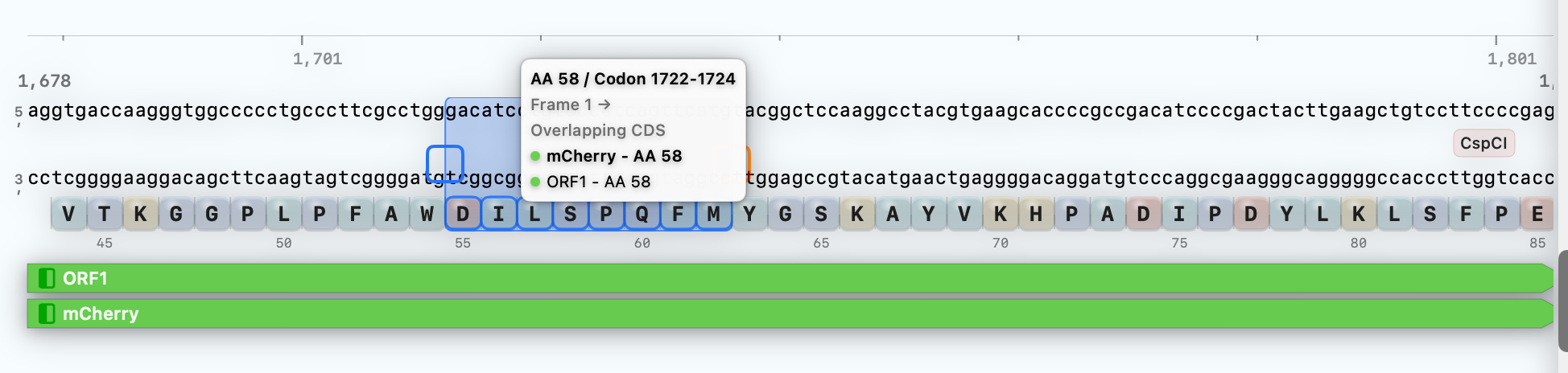
Sequence annotations, ORF and restriction overlays, and map context
When you are editing a construct, MDS keeps sequence annotations and coding context visible so map making and bench planning stay grounded in the same source sequence.
Sequence annotations, ORFs, restriction sites, proteins, and primers remain linked through edits.
Selection interactions expose codon and amino-acid indexing for faster review in coding regions.
The same coding-region context keeps codon optimization and reverse translate close to downstream construct edits.
Map and sequence views stay anchored to the same construct rather than drifting across separate files.
Import and interoperability for construct editing
Open GenBank, FASTA, and SnapGene .dna files in the same plasmid editing workflow.
Import verified formats including GenBank, FASTA, and SnapGene .dna files.
Use the imported construct as the same source for primer design, digest analysis, and cloning simulation.
Move from editing to validation with direct links to Sanger and FASTQ review workflows.
WORKFLOW + OUTPUTS
From imported construct to cloning handoff
Typical workflow
Open
Open a GenBank file, FASTA file, or SnapGene .dna file and your features, overlays, and construct context are ready for editing.
Plan
Edit the plasmid, design primers, run in silico PCR and digest checks, and stage your Gibson or restriction workflow from the same construct.
Share
Export order-ready primer sequences, a fragment CSV, and a PDF cloning report in one step.
Outputs
Updated construct record with annotations and overlays preserved
Order-ready primer sequences with optional 5′ adapters
Digest fragment sets with optional CSV export and virtual gel preview
Cloning simulation report for notebooks and collaborator review
RELATED NEXT STEPS
Keep the construct moving
Primer Design
Go deeper on primer design and in silico PCR
See the dedicated workflow page for Primer Wizard positioning, primer modes, and construct-aware planning.