
Sequence and map views stay in sync
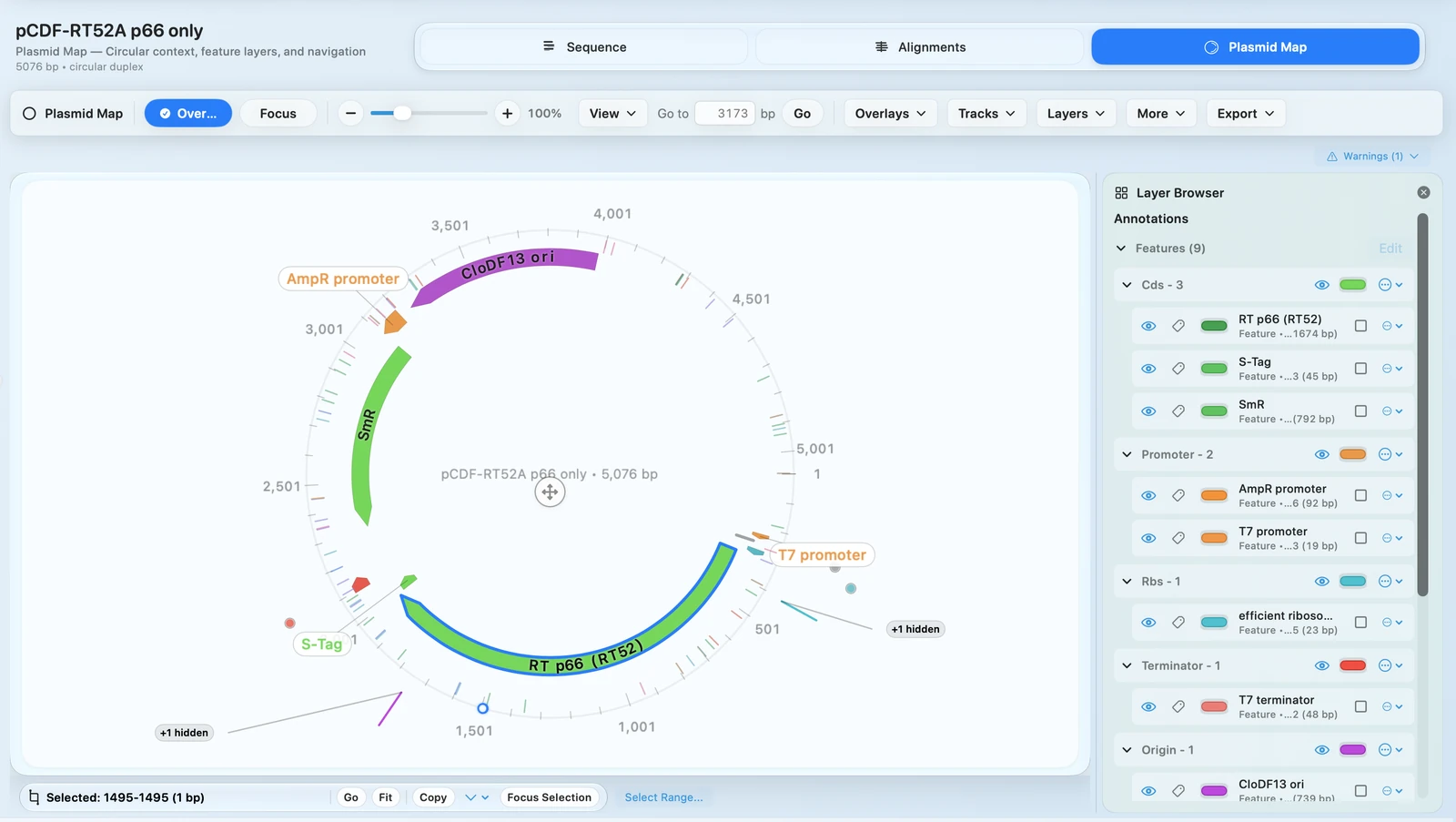
Move between sequence detail and plasmid map communication without rebuilding the construct.
PLASMID EDITOR
Edit constructs with sequence and map views, keep annotations and overlays in context, connect digest and primer planning to the same construct, and export publication-ready plasmid maps from the record you already reviewed.
OUTCOMES
Move between sequence detail and plasmid map communication without rebuilding the construct.
ORFs, restriction sites, proteins, primers, and features remain linked to edits.
Go from the region under review into primer design, restriction analysis, or cloning prep from the same workspace.
Publication-ready map output stays connected to the same construct history you just edited.
FEATURE WALKTHROUGH
Use RayCrest as a plasmid viewer, plasmid editor, and plasmid map creator without separating the visual map from the underlying sequence.
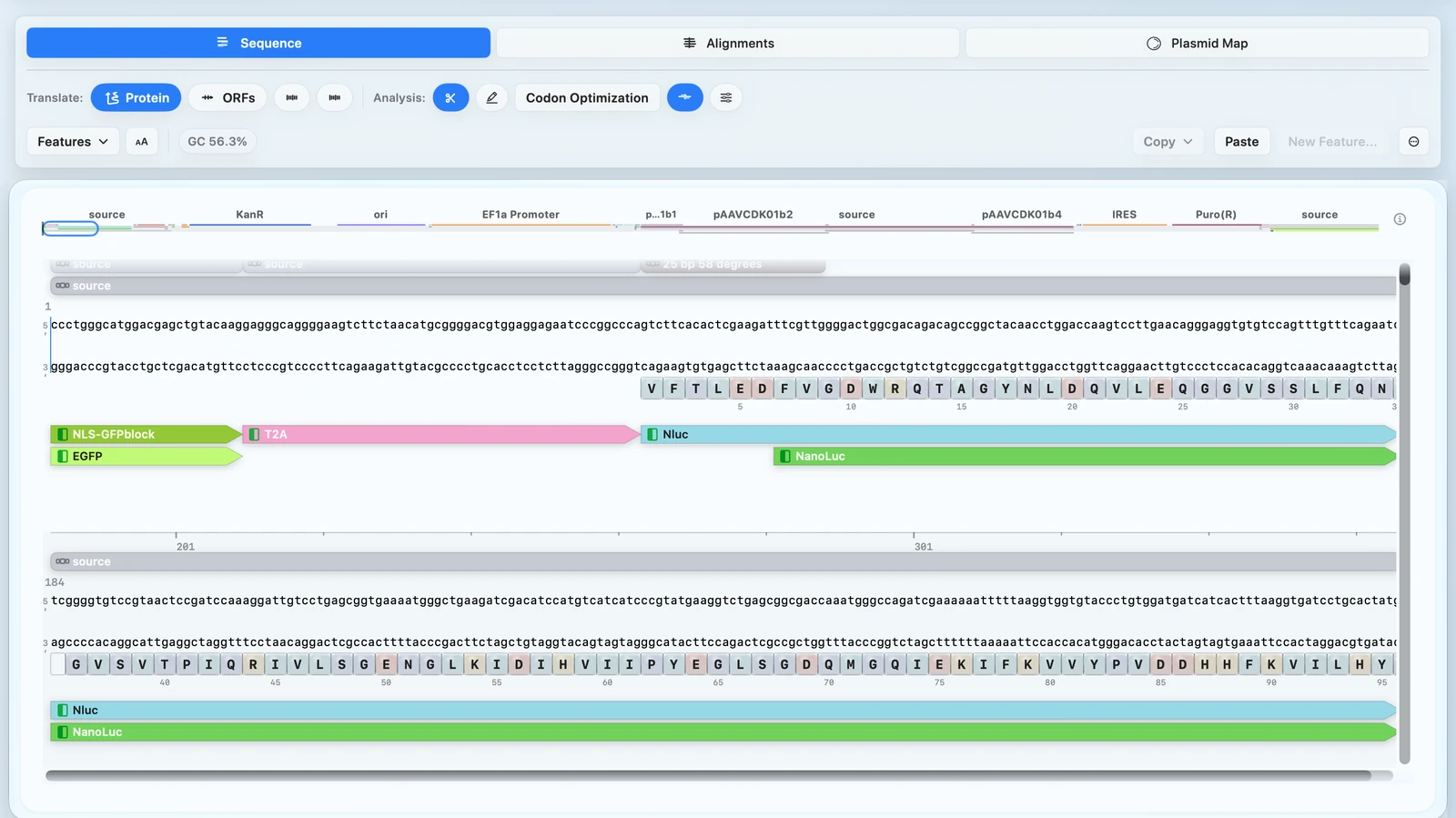
When the construct changes, RayCrest keeps feature annotations and biological context nearby so the edit still makes sense downstream.
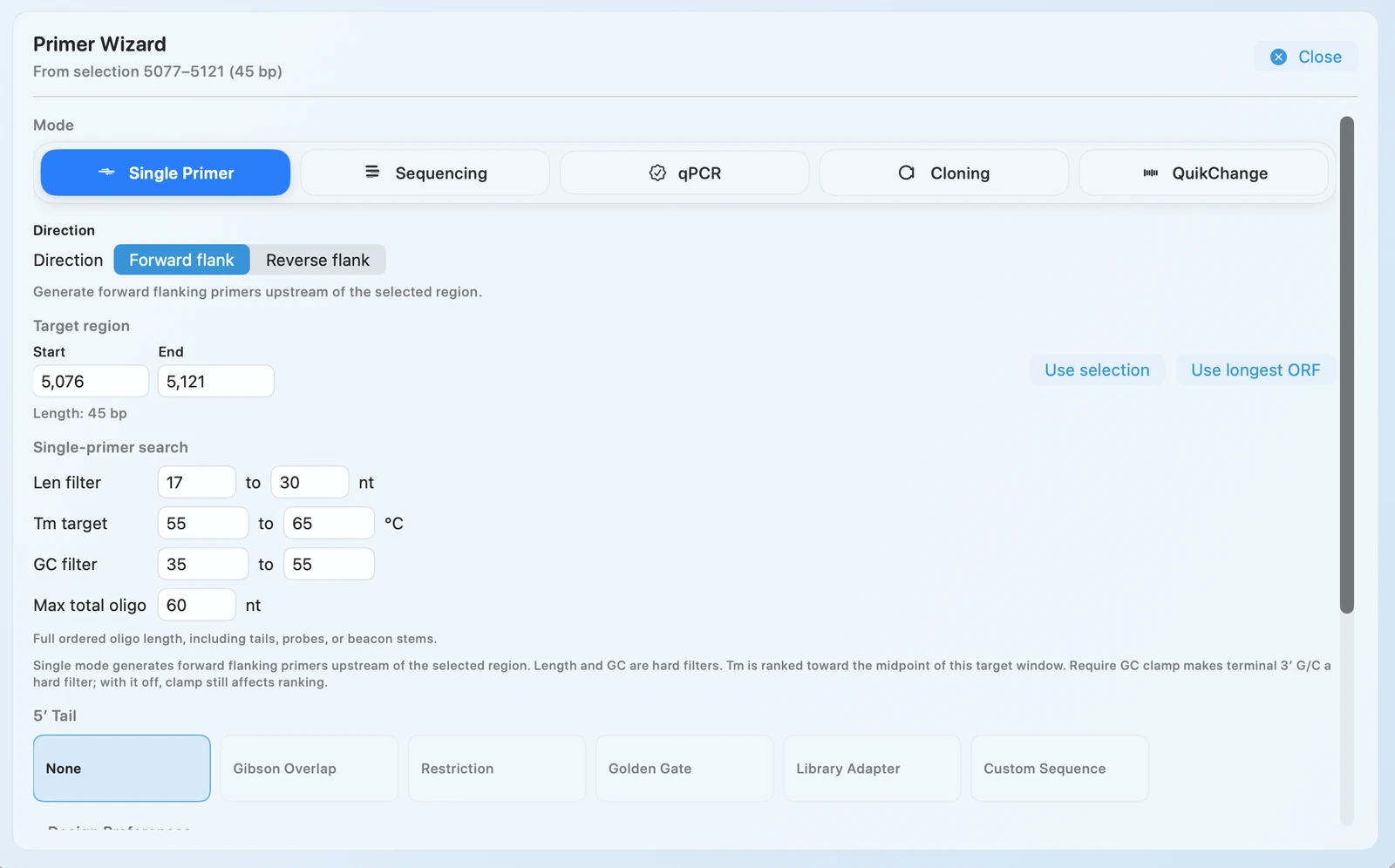
A good plasmid editor is not just for looking. RayCrest connects construct editing to primer design, restriction analysis, and cloning preparation.
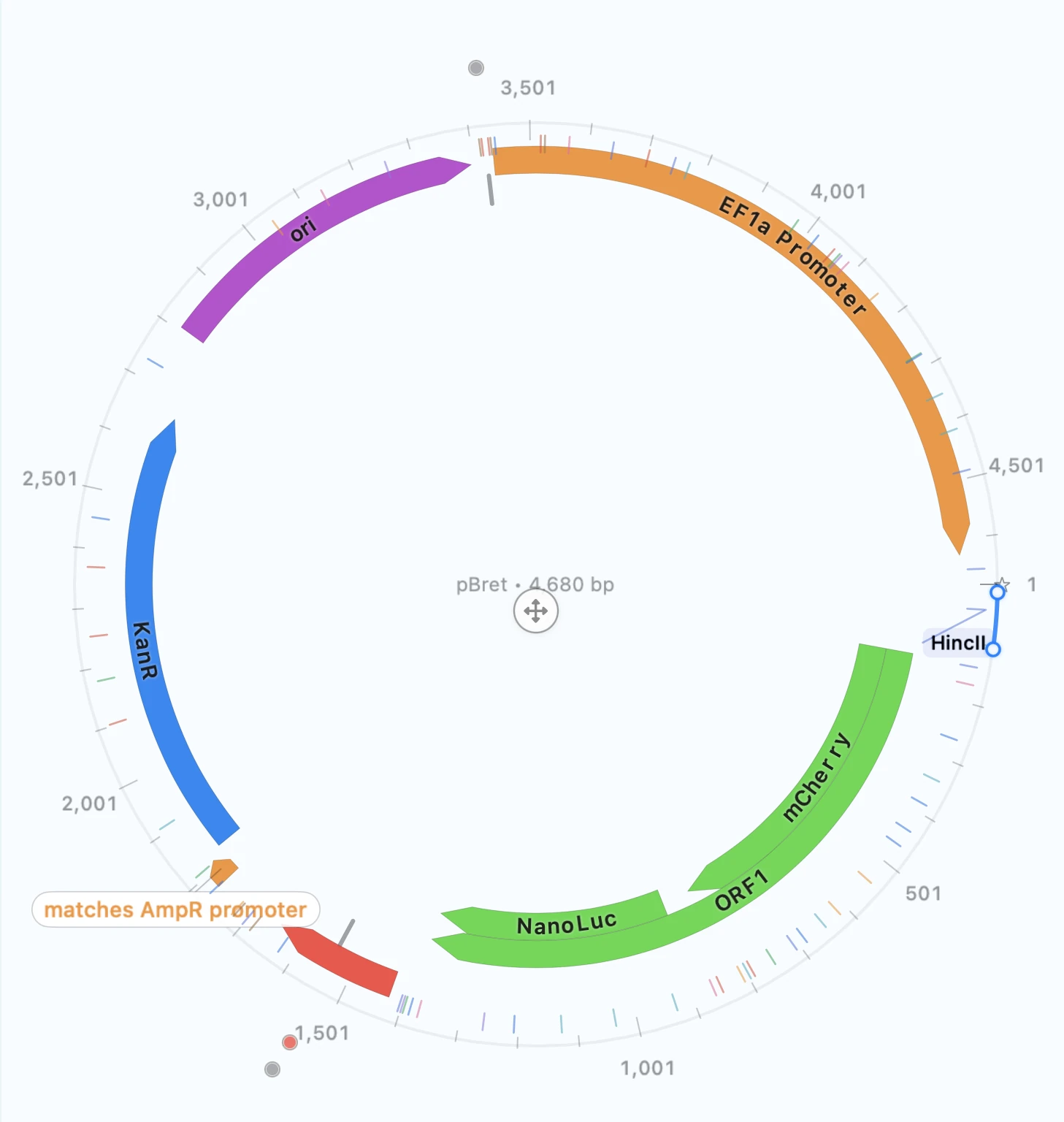
RayCrest doubles as vector map software when you need manuscript, slide, or reviewer-ready output from the construct you already edited.
TECHNICAL DETAILS
RayCrest starts from the files teams already exchange during cloning and validation workflows.
.dna files.Editing and map making are most useful when they describe the same construct at every step.
WORKFLOW + OUTPUTS
Import a GenBank, FASTA, or SnapGene .dna file and start from the construct you need to edit.
Review annotations, overlays, and the region under change in the same construct-aware workspace.
Jump into primer design, digest checks, or cloning prep while the construct context is still live.
Generate the plasmid map or figure output from the construct you already reviewed.
RELATED PAGES
Primer Design
See the dedicated page for Primer Wizard, mutagenesis primers, and construct-aware planning.
Validation
Keep the same construct moving into chromatogram-backed validation and QC decisions.
Figures
See how RayCrest handles publication-ready plasmid map export when figure quality matters.
Primer Design
See how RayCrest handles sequencing, cloning, and mutagenesis primer work inside the same construct-aware workflow.
Download for Mac if your team needs construct editing, primer planning, validation, and map export in one workflow.
Download RayCrest MDS for Mac. RayCrest Pro is $9.99/month.