Review AB1 sequencing
Use this page when you want to import Sanger traces, inspect mismatch evidence, and decide whether the read supports your construct. The same import rules also apply to FASTQ validation runs, but this page is centered on AB1 review.
Before you start
- Open the plasmid you want to validate.
- Switch the main view to
Alignments. - Keep one sequencing modality per import batch:
- Sanger:
.ab1,.abi - FASTQ:
.fastq,.fq,.fastq.gz
Import sequencing files
- In the
Alignmentsheader, clickImport Sequencing.... - Select the trace files you want to review.
- Confirm the import and wait for alignment processing to finish.
Import AB1 traces
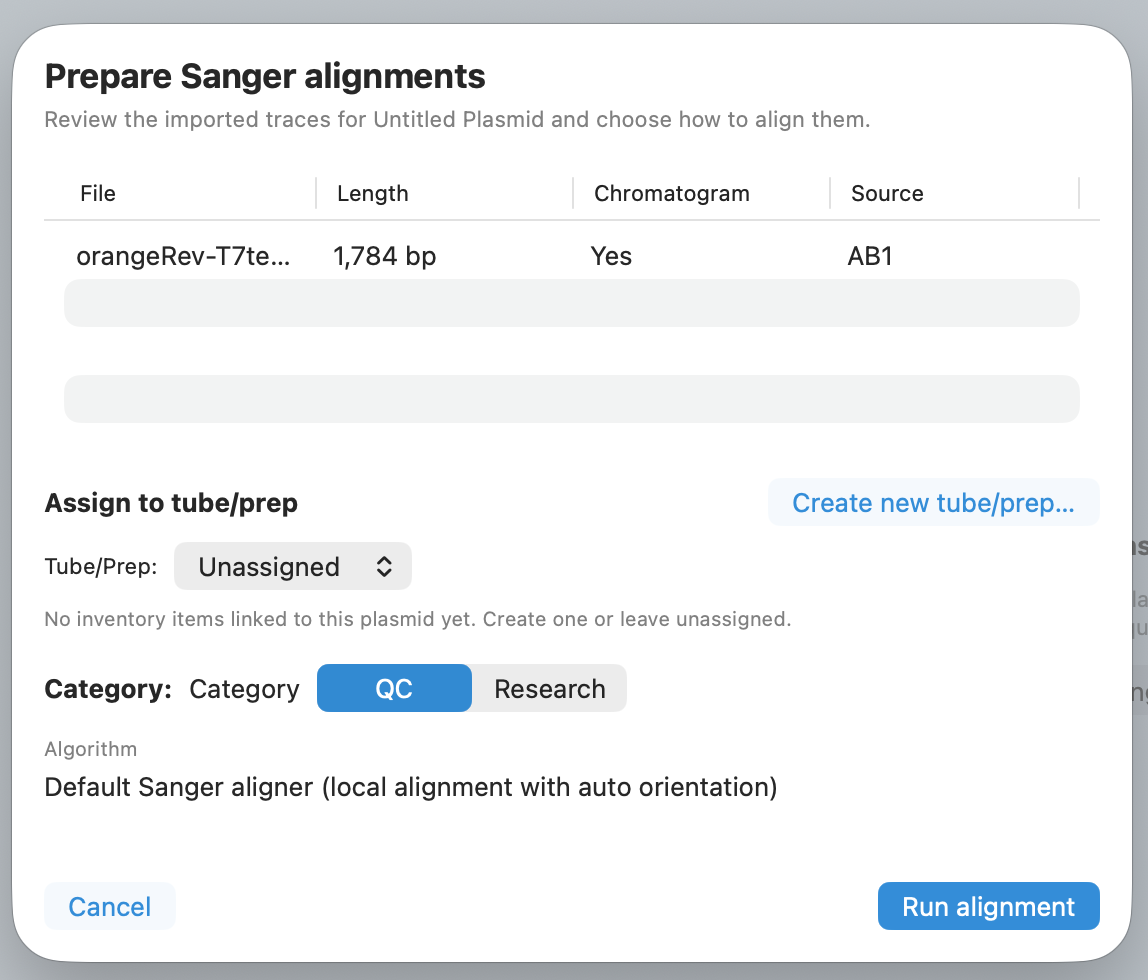
Import the .ab1 chromatogram files from your sequencing run into the alignment workspace.
Check your result - New runs appear in the run list. - The newest import is available to open in the detail pane.
Watch for this - Mixed Sanger and FASTQ files in one batch are rejected. Import one modality at a time.
Open the imported run and review the summary
- In the run list, select the run you want to inspect.
- Check the summary values in the right pane:
- run name and import time
- identity and covered bases, when available
- mismatch count
- orientation, when available
Check your result - The detail pane updates for the selected run. - You can see whether this is the run you actually meant to inspect.
Review mismatch evidence
- Open the
Mismatchessection. - Scan the rows by position and base change.
- Click a mismatch row to focus the relevant evidence.
Inspect mismatches and consensus
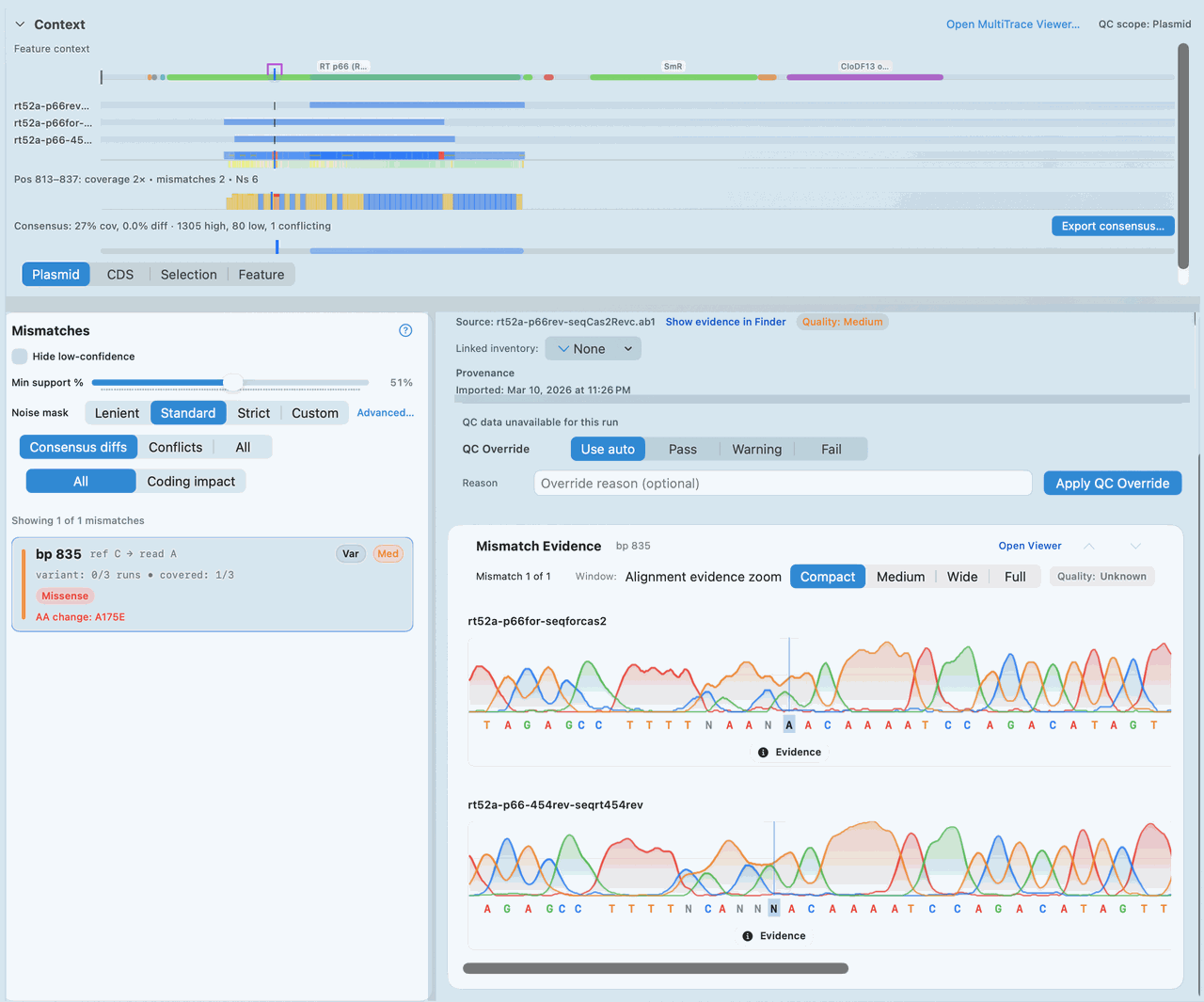
Inspect the mismatch list and consensus evidence together before you decide whether a base call needs attention.
Check your result - The selected mismatch is highlighted. - The surrounding evidence updates to match the selected position.
Inspect chromatogram evidence
- Open the
Chromatogramsection for the active run. - Review the trace shape and base call around the position you care about.
- Compare the trace with the mismatch summary before deciding whether the call looks convincing.
Confirm the corrected sequence
- Look for the QC line in the run detail pane.
- Compare the current
Finalresult with theAutoresult when both are present. - If the run needs a traceable decision, continue into the QC workflow after you finish the evidence review.
Confirm corrected sequence
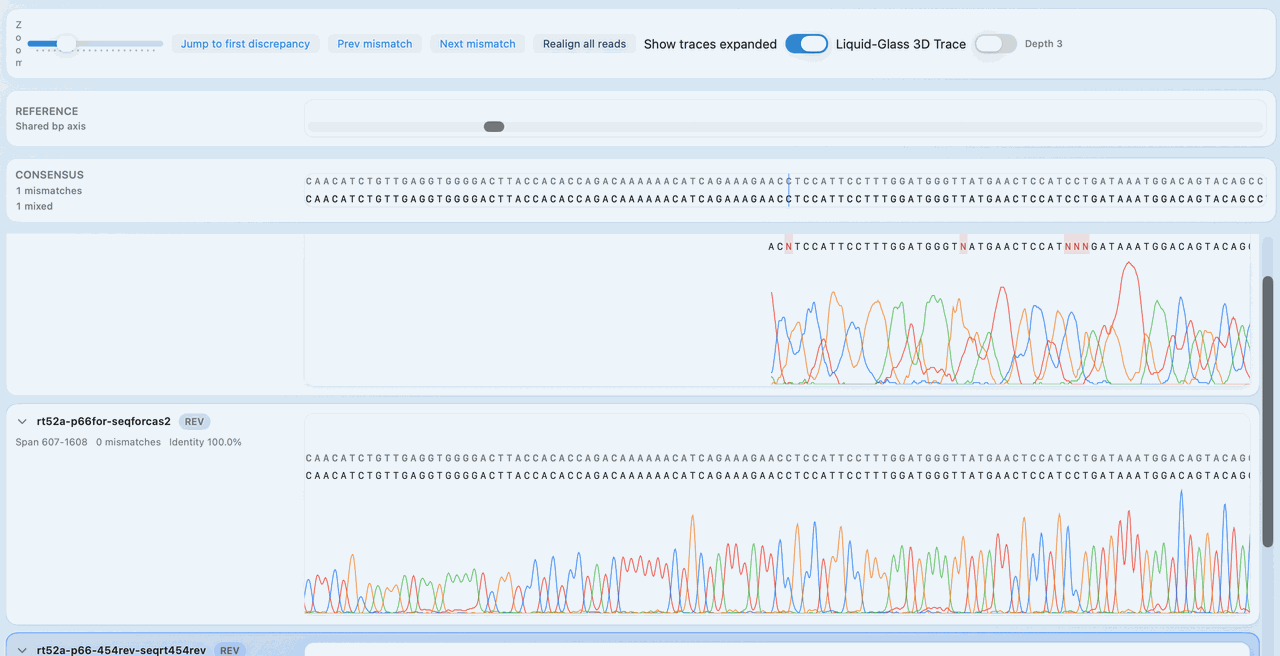
Confirm that the final sequence reflects the evidence you reviewed before you rely on the run result.
Tip - Review mismatches and chromatogram evidence before you rely on the QC label by itself.
If it doesn't look right
- The import reports unsupported files:
- Check the extension against Supported file formats.
- The detail pane looks stale:
- Re-select the run from the left list.
- Chromatogram evidence is unavailable:
- Re-import the AB1 file and confirm the trace is not truncated or corrupted.
Related pages
If a quantified reference or control must be documented before sequencing, estimate DNA copies per µL from mass concentration. The estimate does not establish intact or sequenceable molecules; use it only when that assumption fits the sample and assay.