Use lab calculators
Use this page when you need a quick calculation for solution prep, dilution setup, or buffer planning while you are planning the next step in the lab.
Need lab math away from your Mac? RayCrest Lab Calculator brings buffer recipes, solution prep, conversions, and protocol timers to iPhone and iPad.
Before you start
- Keep the active construct open if the calculation is part of a cloning or primer workflow.
- Re-check your units before you trust any calculated result.
Open the calculators window
- Open
Tools > Lab Calculators.... - Confirm that the
MolarMix Calculatorswindow opens as a separate utility scene.
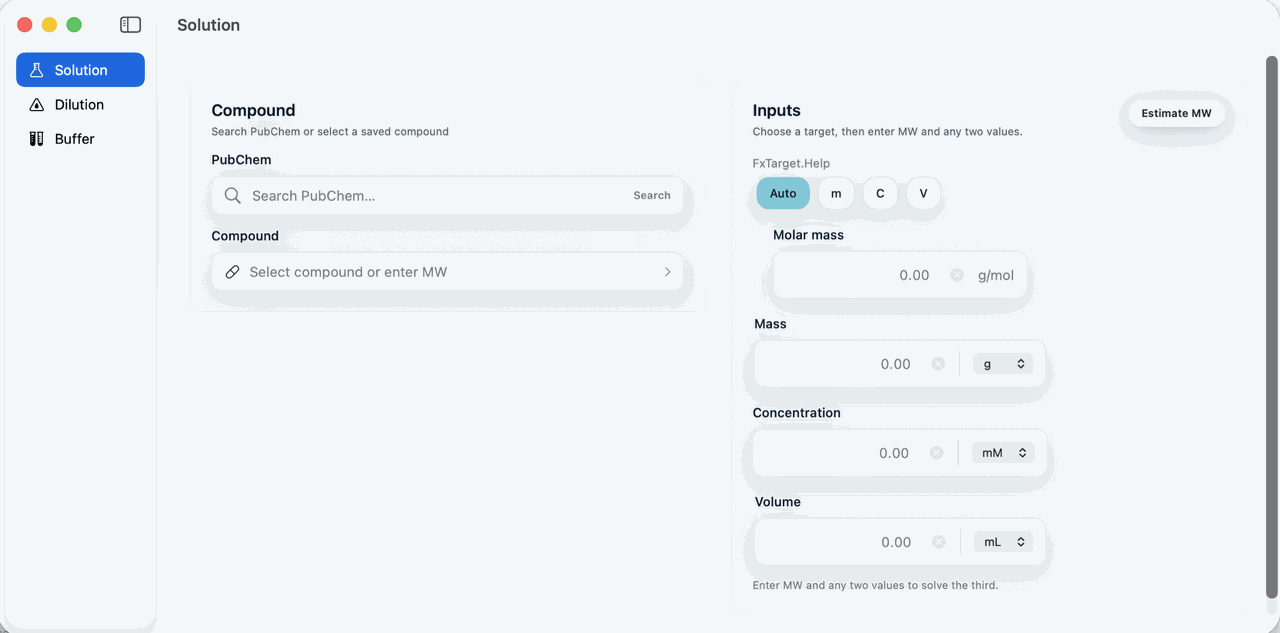
Choose the route that matches the bench question
Use the calculator list on the left to choose:
SolutionDilutionBuffer
The detail pane updates to match the route you selected.
Use the free browser calculators
When you do not need a saved app record, the public tools run locally in the browser:
- Calculate solution mass, molarity, or volume from molecular weight and two known quantities.
- Convert molarity and mass concentration when molecular weight connects molar and mass-based units.
- Plan stock and diluent volumes for a concentration decrease.
- Build a buffer preparation recipe with a selected pH, concentration, and preparation mode.
These pages do not transfer inputs or results into the Mac or iOS apps automatically. Copy the completed calculation record when it belongs in a project or protocol.
Follow the standard calculator pattern
- Enter only the values you already know.
- Confirm whether each concentration or volume is the stock value or the final target.
- Let the derived field update from the calculator.
- Adjust the inputs until the output matches the protocol you plan to run.
- Copy the final values into your notebook, worksheet, or bench record.
Input hygiene checks
- Confirm concentration units before you trust the result.
- Re-check final volume units before you move to the bench.
- Re-run the calculation whenever a material assumption changes, such as molecular weight, salt form, or target molarity.
If the result looks wrong
- A field resolves to an unexpected value: Clear one derived field and re-enter only the known inputs.
- The number is off by a factor of ten or more: Check whether the units are stock versus final concentration, microliters versus milliliters, or ng versus ug.
- You need a persistent audit trail: Copy the final result into a project note or managed file because a dedicated save-to-project action is not documented for this window.